The Futures of Work, Decoded.
In-depth editorial coverage of workflow design, automation mechanics, and the systematic shift toward local-first knowledge infrastructure.
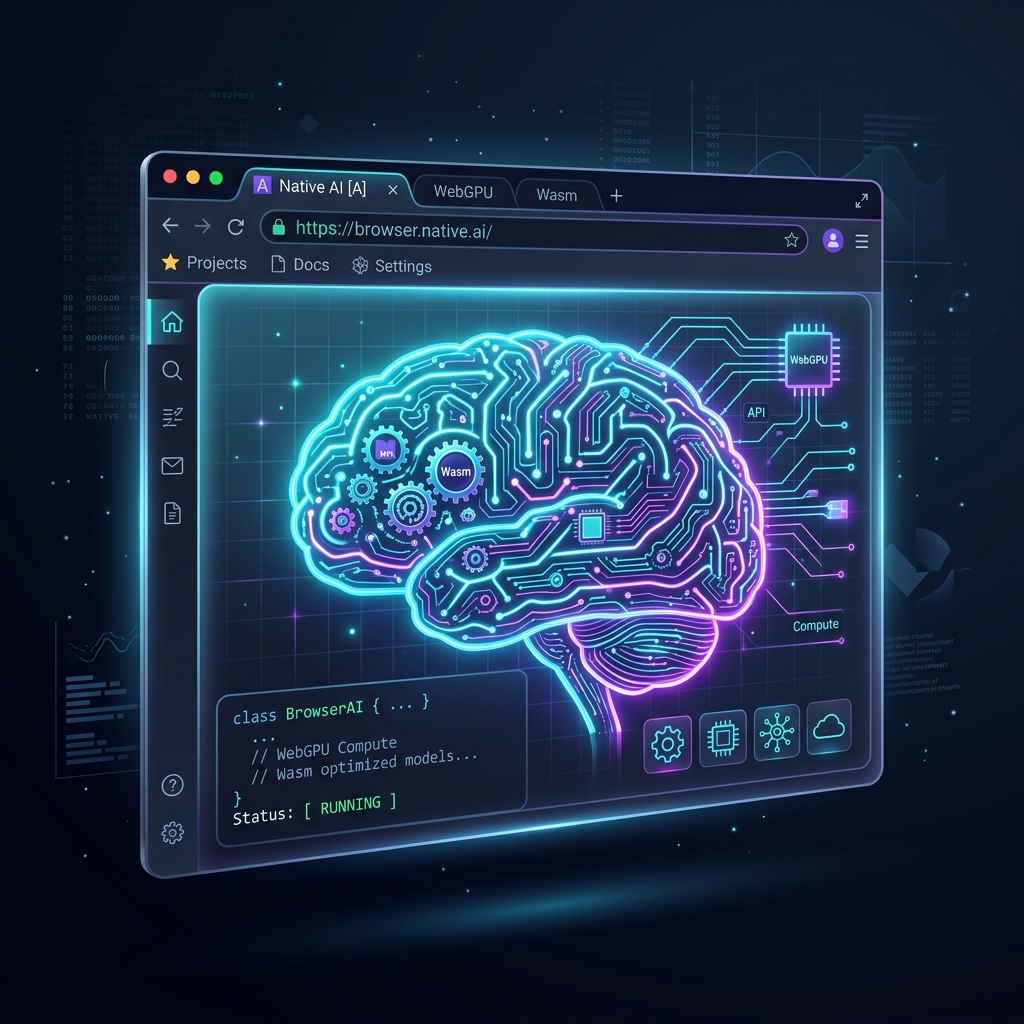
For years, integrating large language models into web applications meant paying a steep local-first-models" class="internal-link">cloud computing tax. Developers had to host models on expensive cloud GPUs or route queries through third-party APIs, introducing database speculative-decoding-in-production-how-to-cut-llm-latency-and-gpu-costs-by-60" class="internal-link">latency, security vulnerabilities, and scaling costs. However, in mid-2026, the browser has emerged as a legitimate AI runtime. By combining **WebGPU** for high-performance tensor arithmetic and **WebAssembly (WASM)** for tokenization and orchestration, developers can now build and serve quantized LLMs entirely on the client-side. Welcome to the era of the Zero-Server AI Stack.
Figure 1: The Browser-Native AI Stack — running fully quantized neural networks directly on the client GPU via WebGPU.
Browser-native inference relies on a clean division of labor between two critical browser standards. To understand how they work, let us analyze the execution path of a user prompt-engineer-is-a-transitionary-role" class="internal-link">prompt inside-a-100-automated-accounting-department" class="internal-link">inside a browser tab:
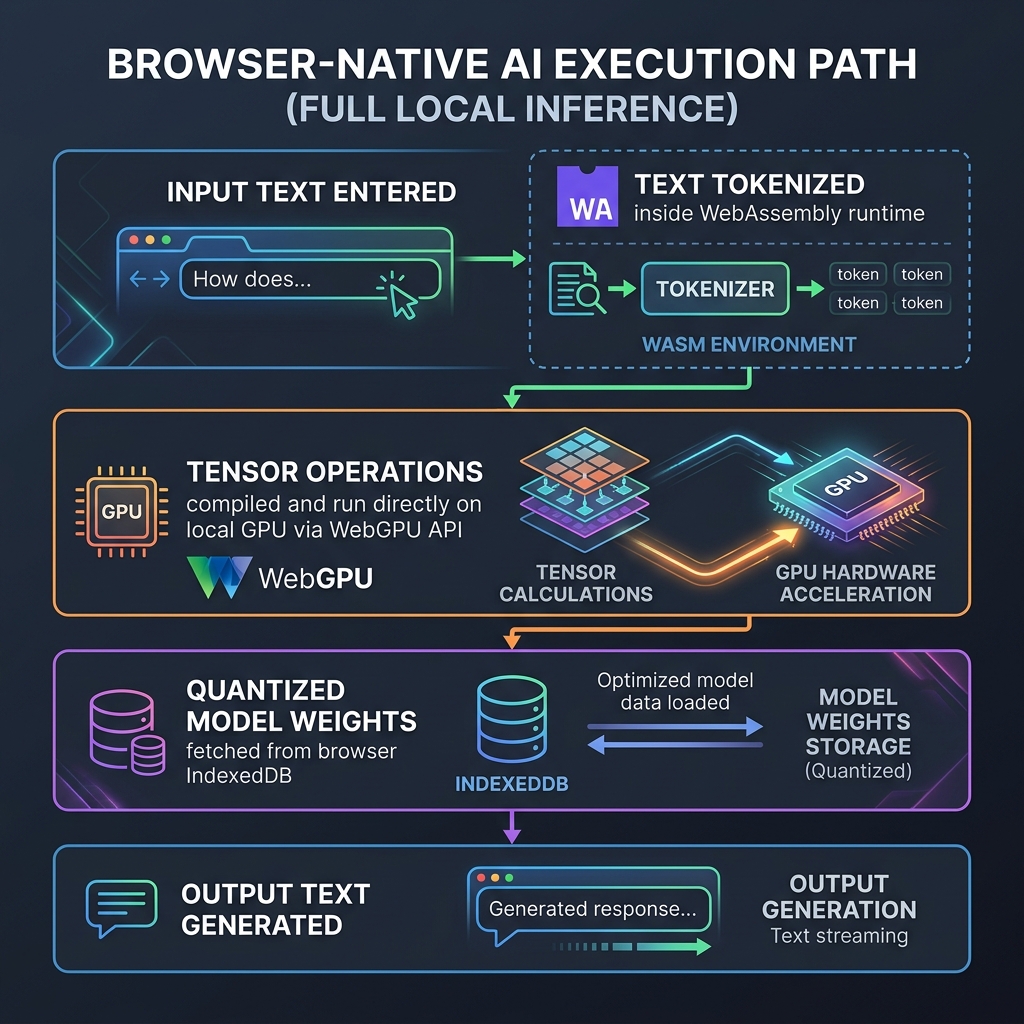
Figure 2: The Browser-Native Execution Path — how client-side assets are routed to achieve zero-latency local inference.
First, the user's raw string input is converted into numeric tokens. This is handled by WebAssembly (WASM), ditching-the-ide-how-claude-code-is-transforming-terminal-first-automation" class="internal-link">claude-vs-chatgpt-vs-gemini-for-content-teams-in-2026" class="internal-link">chatgpt-which-is-better-for-research-in-2026" class="internal-link">which runs compiled C++ or Rust tokenization libraries at native speeds. Next, the tokens are loaded into a tensor buffer. WebGPU then takes over, executing the matrix multiplication kernels directly on the local graphics hardware. By bypassing the CPU, WebGPU achieves ~80% of native GPU inference performance, generating tokens at speeds of 30-50 tokens per second for small models on modern consumer laptops.
The primary barrier to running client-side LLMs is memory size. Loading a standard 7-billion parameter model requires over 14GB of memory—far exceeding the resources available to a typical browser tab. The solution is **quantization**. By compressing the model weights from 16-bit floating-point numbers (FP16) down to 4-bit or 3-bit representations (AWQ/GPTQ formats), we reduce the model footprint by 75%:
| Model Size (Parameters) | Original Size (FP16) | Quantized Size (4-Bit AWQ) | Browser Compatibility | Ideal Use Case |
|---|---|---|---|---|
| 1.5 Billion (e.g. Qwen-2) | 3.0 GB | ~850 MB | Excellent (phones & tablets) | High-volume summarization, local translation |
| 3 Billion (e.g. Phi-3) | 6.0 GB | ~1.7 GB | Good (standard laptops) | Forms automation, structured JSON parsing |
| 8 Billion (e.g. Llama-3) | 16.0 GB | ~4.3 GB | Fair (high-end dev machines) | zapier-alternatives-that-actually-handle-complex-logic" class="internal-link">Complex hijacks-your-ai-coding-agent" class="internal-link">coding assistance, agentic-ai-vs-traditional-automation-whats-the-difference" class="internal-link">agentic reasoning |
By saving the quantized model weights inside the browser's local **IndexedDB** storage, the user only has to download the assets once. Subsequent page visits load the model instantly from disk in under 2 seconds, offering a fully offline-capable, zero-network-latency user experience.
building-a-geo-distributed-automation-pipeline-overcoming-latency-and-legal-boundaries" class="internal-link">Building in this space no longer requires writing raw WebGPU shader code. The developer ecosystem has matured around robust, high-level libraries:
- WebLLM (MLC-LLM): A high-performance browser engine that provides an OpenAI-compatible API. Developers can switch their API endpoints from hosted URLs to a local WebLLM instance with a single line of code.
- Transformers.js (Hugging Face): The Hugging Face pipeline local-first-workflow" class="internal-link">architecture compiled for the browser. It enables running thousands of pre-trained models—including BERT, CLIP, and Whisper—for tasks like image segmentation, transcription, and embedding generation.
- Web Workers Integration: To prevent heavy tensor calculations from freezing the browser UI, developers run the inference loops inside Web Workers, keeping the application interface fluid and responsive.
The transition to browser-native AI represents a fundamental architectural shift. By moving compute from centralized cloud servers to the edge (the user's own device), developers can build scalable, privacy-first, and highly cost-effective applications. The Zero-Server AI Stack is not just an optimization; it is a rewriting of the rules of modern web development.