The Futures of Work, Decoded.
In-depth editorial coverage of workflow design, automation mechanics, and the systematic shift toward local-first knowledge infrastructure.
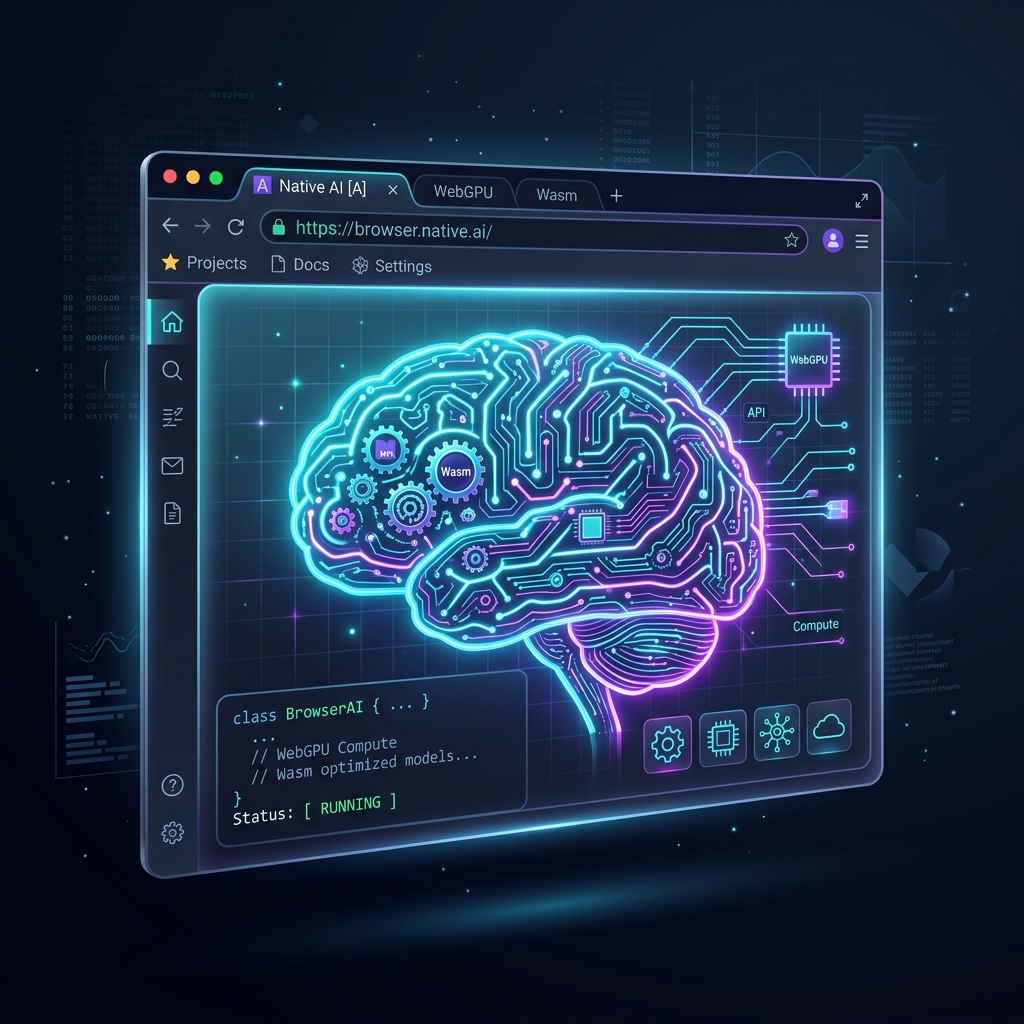
For years, integrating large language models into web applications meant paying a steep localcloud computing tax. Developers had to host models on expensive cloud GPUs or route queries through third-party APIs, introducing database speculativelatency, security vulnerabilities, and scaling costs. However, in mid-2026, the browser has emerged as a legitimate AI runtime. By combining **WebGPU** for high-performance tensor arithmetic and **WebAssembly (WASM)** for tokenization and orchestration, developers can now build and serve quantized LLMs entirely on the client-side. Welcome to the era of the Zero-Server AI Stack.
Running high-fidelity Multimodal AI locally in the web browser enables instant processing of text, speech, and images.
By implementing smart Context Engineering client-side, developers can fit deep context windows into local GPU memory configurations.
Figure 1: The Browser-Native AI Stack \\u2014 running fully quantized neural networks directly on the client GPU via WebGPU.
Browser-native inference relies on a clean division of labor between two critical browser standards. To understand how they work, let us analyze the execution path of a user promptprompt insideinside a browser tab:
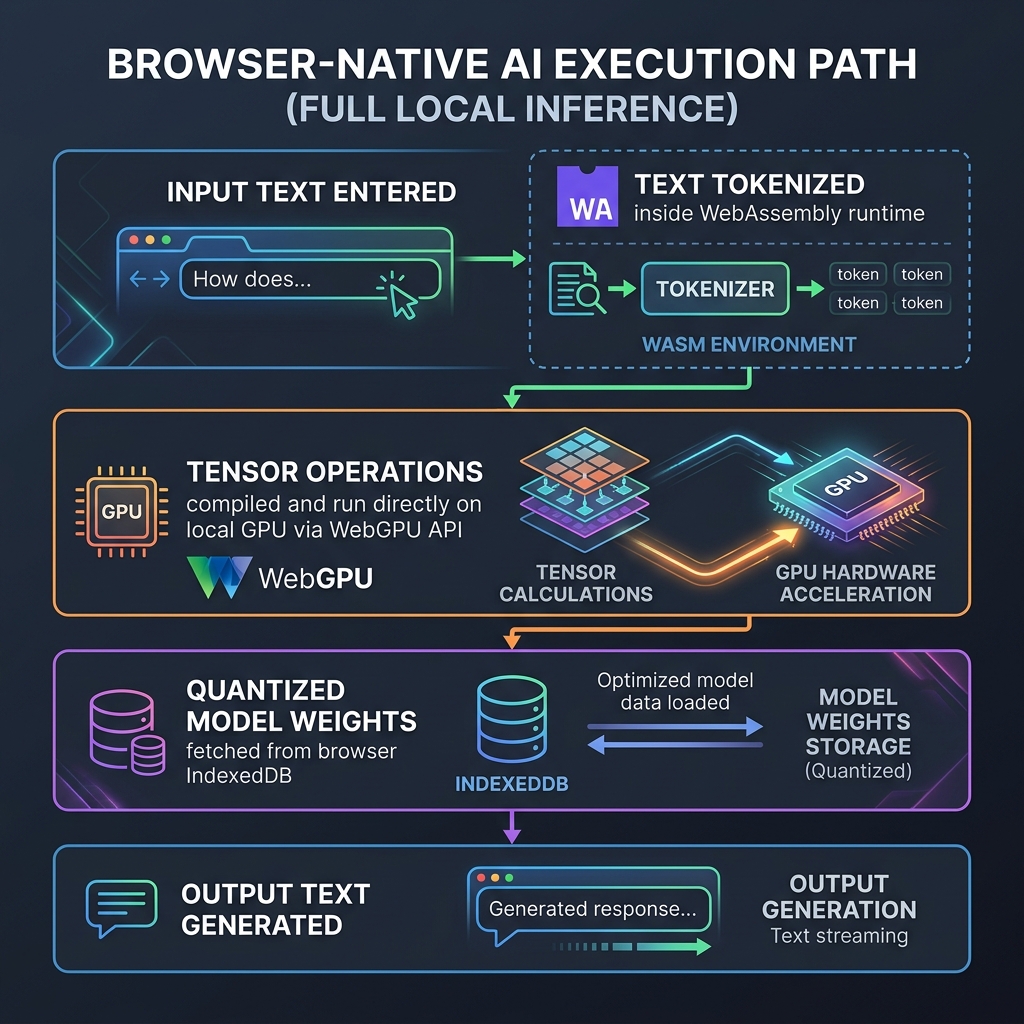
Figure 2: The Browser-Native Execution Path \\u2014 how client-side assets are routed to achieve zero-latency local inference.
First, the user's raw string input is converted into numeric tokens. This is handled by WebAssembly (WASM), claudeude-vs-chatgpt-vs-gemini-for-content-teams-in-2026" class="internal-link">chatgpt-which-is-better-for-research-in-2026" class="internal-link">which runs compiled C++ or Rust tokenization libraries at native speeds. Next, the tokens are loaded into a tensor buffer. WebGPU then takes over, executing the matrix multiplication kernels directly on the local graphics hardware. By bypassing the CPU, WebGPU achieves ~80% of native GPU inference performance, generating tokens at speeds of 30-50 tokens per second for small models on modern consumer laptops.
The primary barrier to running client-side LLMs is memory size. Loading a standard 7-billion parameter model requires over 14GB of memory\\u2014far exceeding the resources available to a typical browser tab. The solution is **quantization**. By compressing the model weights from 16-bit floating-point numbers (FP16) down to 4-bit or 3-bit representations (AWQ/GPTQ formats), we reduce the model footprint by 75%:
| Model Size (Parameters) | Original Size (FP16) | Quantized Size (4-Bit AWQ) | Browser Compatibility | Ideal Use Case |
|---|---|---|---|---|
| 1.5 Billion (e.g. Qwen-2) | 3.0 GB | ~850 MB | Excellent (phones & tablets) | High-volume summarization, local translation |
| 3 Billion (e.g. Phi-3) | 6.0 GB | ~1.7 GB | Good (standard laptops) | Forms automation, structured JSON parsing |
| 8 Billion (e.g. Llama-3) | 16.0 GB | ~4.3 GB | Fair (high-end dev machines) | Complexplex codinging assistance, agenticagentic reasoning |
By saving the quantized model weights inside the browser's local **IndexedDB** storage, the user only has to download the assets once. Subsequent page visits load the model instantly from disk in under 2 seconds, offering a fully offline-capable, zero-network-latency user experience.
buildingBuilding in this space no longer requires writing raw WebGPU shader code. The developer framework has matured around strong, high-level libraries:
- WebLLM (MLC-LLM): A high-performance browser engine that provides an OpenAI-compatible API. Developers can switch their API endpoints from hosted URLs to a local WebLLM instance with a single line of code.
- Transformers.js (Hugging Face): The Hugging Face pipeline local-firstarchitecture compiled for the browser. It enables running thousands of pre-trained models\\u2014including BERT, CLIP, and Whisper\\u2014for tasks like image segmentation, transcription, and embedding generation.
- Web Workers Integration: To prevent heavy tensor calculations from freezing the browser UI, developers run the inference loops inside Web Workers, keeping the application interface fluid and responsive.
The transition to browser-native AI represents a fundamental architectural shift. By moving compute from centralized cloud servers to the edge (the user's own device), developers can build scalable, privacy-first, and highly cost-effective applications. The Zero-Server AI Stack is not just an optimization; it is a rewriting of the rules of modern web development.
WebGPU is the browser API that enables direct access to the GPU from JavaScript running in a web page, without browser plugins, without native app installation, and without sending data to a server. This seemingly simple capability has profound implications for AI inference: it means that any user with a modern browser and a GPU-equipped device can run sophisticated neural network inference entirely locally, with the model weights downloading once and running indefinitely without further network access.
The technical architecture of a WebGPU-based AI inference stack has four layers. At the bottom is the GPU hardware — any modern discrete GPU (NVIDIA, AMD, Apple Silicon) or integrated GPU (Intel Iris, AMD Radeon integrated). Above this sits WebGPU, which exposes the GPU through a standardized shader language (WGSL — WebGPU Shading Language) and a compute shader pipeline API. The inference framework layer (typically Apache TVM Web, Transformers.js, or WebLLM) compiles neural network operations into WebGPU compute shaders and manages memory allocation on the GPU. At the top, the application layer communicates with the inference framework through a standard API, receiving text tokens, embeddings, or image classifications as output.
The performance characteristics of WebGPU inference are impressive for browser-based compute. On an M3 MacBook Pro with Apple Silicon GPU, WebLLM running Llama 3.1 8B achieves 25-35 tokens per second — comparable to a mid-tier dedicated GPU server, entirely browser-local. On an NVIDIA RTX 4070 laptop GPU, performance is typically 40-60 tokens per second for the same model. These speeds are sufficient for real-time conversational AI, code completion, and text classification. More demanding tasks (high-resolution image generation, large-scale batch inference) remain impractical in browser environments and continue to require server-side GPU infrastructure. The zero-server architecture discussion connects to the broader local-first movement analyzed in our guide on local-first workflow architecture.
Not every user has a GPU-equipped device or a browser with WebGPU support. WebAssembly (WASM) provides a CPU-based fallback that enables AI inference across the full range of browser-capable devices, including older laptops, low-end phones, and devices whose GPUs lack WebGPU support. While WASM inference is significantly slower than WebGPU inference, it enables a genuinely universal deployment target for browser-native AI.
The performance gap between WebGPU and WASM for LLM inference is approximately 10-20x. A model that generates 30 tokens per second on WebGPU generates 1.5-3 tokens per second on WASM CPU inference. This is too slow for real-time conversational AI but is adequate for batch inference tasks (document summarization, content classification, offline analysis) where the user can wait 30-60 seconds for results. For applications that need broad device coverage, the architecture typically uses WebGPU when available and falls back gracefully to WASM when WebGPU is unavailable or the device GPU is insufficient.
WASM inference also enables an important use case: offline AI for Progressive Web Apps (PWAs). A PWA can download model weights on first load and store them in the browser's Cache API or OPFS (Origin Private File System), then provide AI functionality entirely offline using WASM inference. This zero-connectivity AI capability is valuable for field applications (inspection tools used in areas without connectivity), accessibility tools (real-time transcription without data leaving the device), and privacy-sensitive applications (medical symptom checkers, legal document analysis) where users are unwilling to transmit their data to a server. The combination of WASM offline AI and PWA offline capability creates a new class of application that was genuinely impossible before 2024 and is now accessible to any developer with browser API knowledge.
The browser-native AI ecosystem has matured rapidly from a research curiosity in 2023 to a viable production platform in 2026. The key framework choices for developers building zero-server AI applications are now reasonably clear, with battle-tested options at each layer of the stack.
Transformers.js (Hugging Face) is the most accessible starting point for developers familiar with the Python transformers ecosystem. It provides a JavaScript API that mirrors the Python transformers library, enabling a straightforward port of Python inference code to browser-native JavaScript. It supports the most common model architectures (BERT, RoBERTa, GPT-2, T5, Whisper) and uses WebGPU when available, falling back to WASM. For text embeddings, classification, and sequence-to-sequence tasks, Transformers.js is the recommended starting point. WebLLM (MLC-AI) is the leading framework for LLM inference in the browser, supporting quantized versions of Llama 3, Mistral, Phi-3, and Gemma. It uses Apache TVM to compile model operations to highly optimized WebGPU shaders, achieving the highest performance benchmarks of any browser LLM framework. Whisper.cpp WASM provides browser-native speech-to-text, enabling offline voice transcription in the browser at near-real-time speeds on modern hardware.
The developer workflow for browser-native AI deployment is: select a pre-quantized model from the WebLLM or Transformers.js model hub, integrate the framework into your web application, implement a model download UI that handles the one-time model weight download and caching in OPFS, and build the inference interface. The result is an application that provides AI capabilities with no API keys, no server costs, and no data leaving the user's device. For privacy-sensitive applications or organizations with strict data governance requirements, this architecture eliminates an entire category of compliance risk associated with cloud AI APIs, aligning naturally with local AI deployment for privacy-first businesses.
WebGPU is a browser API that provides direct GPU access from JavaScript, enabling neural network inference to run locally in the browser at speeds comparable to dedicated GPU servers. This means complex AI models can run without sending data to a server, without API keys, and without ongoing server costs — entirely on the user's device.
On modern hardware (M3 MacBook Pro, NVIDIA RTX 4070), WebGPU running Llama 3.1 8B achieves 25-60 tokens per second — comparable to a mid-tier GPU server. Performance scales with the GPU on the client device. More demanding tasks (large image generation) remain impractical in the browser.
WebAssembly (WASM) inference runs AI models on the CPU rather than the GPU, enabling AI in browsers without GPU support. It is 10-20x slower than WebGPU inference (1.5-3 tokens/second for LLMs vs 30+ tokens/second), but works on any browser-capable device and enables offline AI in Progressive Web Apps via model weight caching in OPFS.
Top frameworks: Transformers.js (Hugging Face) for BERT, T5, Whisper and common architectures with Python-like API; WebLLM (MLC-AI) for high-performance LLM inference (Llama 3, Mistral, Phi-3); Whisper.cpp WASM for offline speech-to-text. All use WebGPU when available with WASM CPU fallback.
Privacy-sensitive applications (medical analysis, legal documents, personal finance tools where data cannot leave the device), offline field tools (inspection, assessment applications in connectivity-poor environments), accessibility tools (real-time transcription without server transmission), and cost-sensitive high-volume applications where eliminating per-request API costs produces significant savings.